 PhoneScroll
Divorce and custody: find the exact text messages you need with a CSV export and AI
During a separation, lawyers often ask very specific questions: On what date did your spouse move out? How many custody weekends were canceled? Was child support paid on time? The answer is somewhere in years of text messages. Scrolling back through them on the iPhone takes hours, and you always miss one.
The method below combines two tools: PhoneScroll to get the conversation off your iPhone as a CSV file, and an AI (ChatGPT, Claude, Gemini, Le Chat…) to read all of it, find the relevant passages and count.
This article offers a practical method, not legal advice. The AI helps you find the messages; the evidence is the messages themselves. Talk to your lawyer.
For this example, we used a made-up conversation of 95 messages between a mother and Julien, the father of Léa and Tom, from January to September 2026. The demo conversation is in French. All screenshots come from the app.
1. Open the conversation in PhoneScroll
Connect the iPhone, start the backup, then open it in PhoneScroll. Text message, iMessage and WhatsApp conversations are sorted by contact, with photos and voice messages right where they belong.
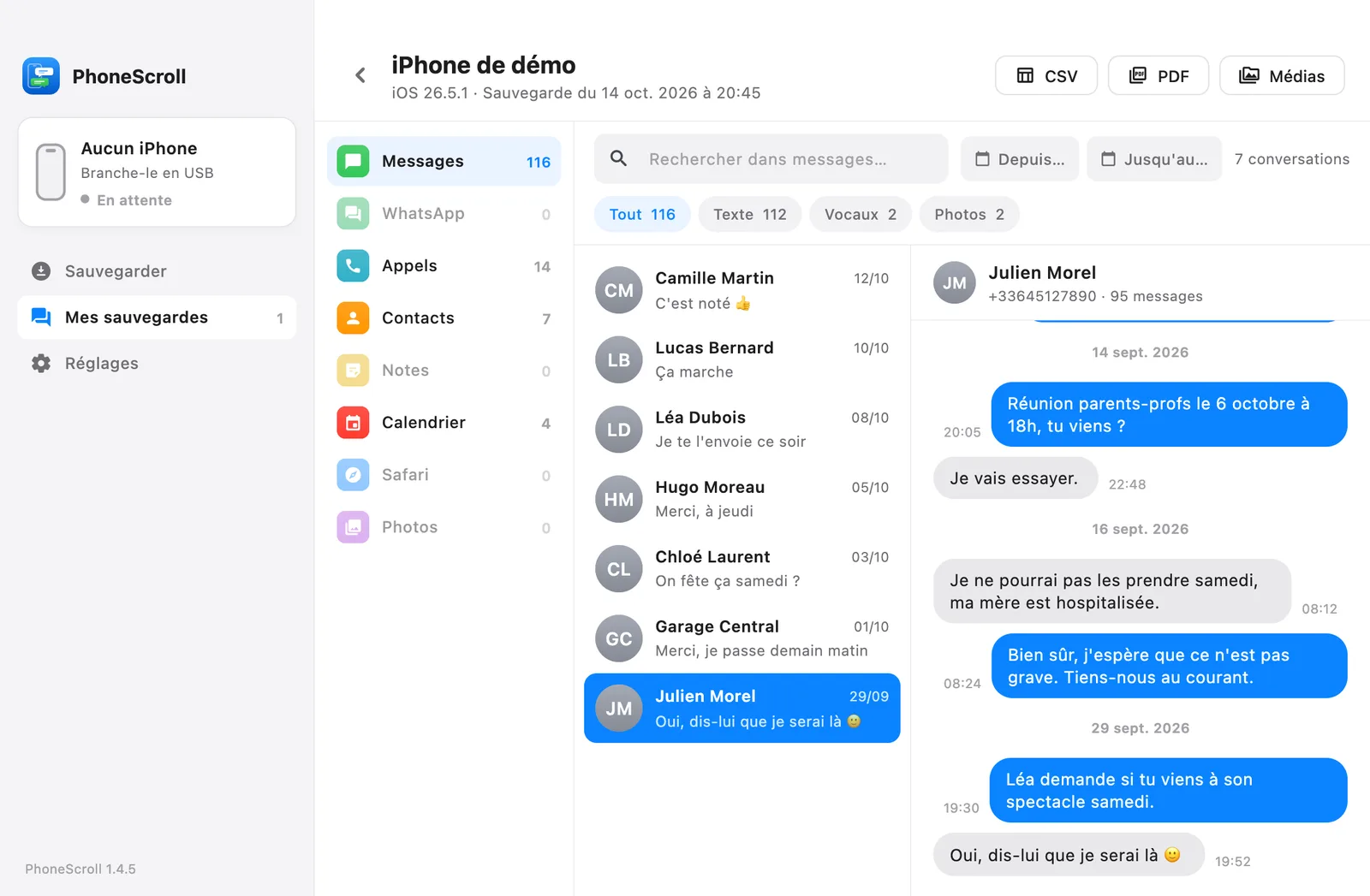
2. Narrow it down to a period or a topic
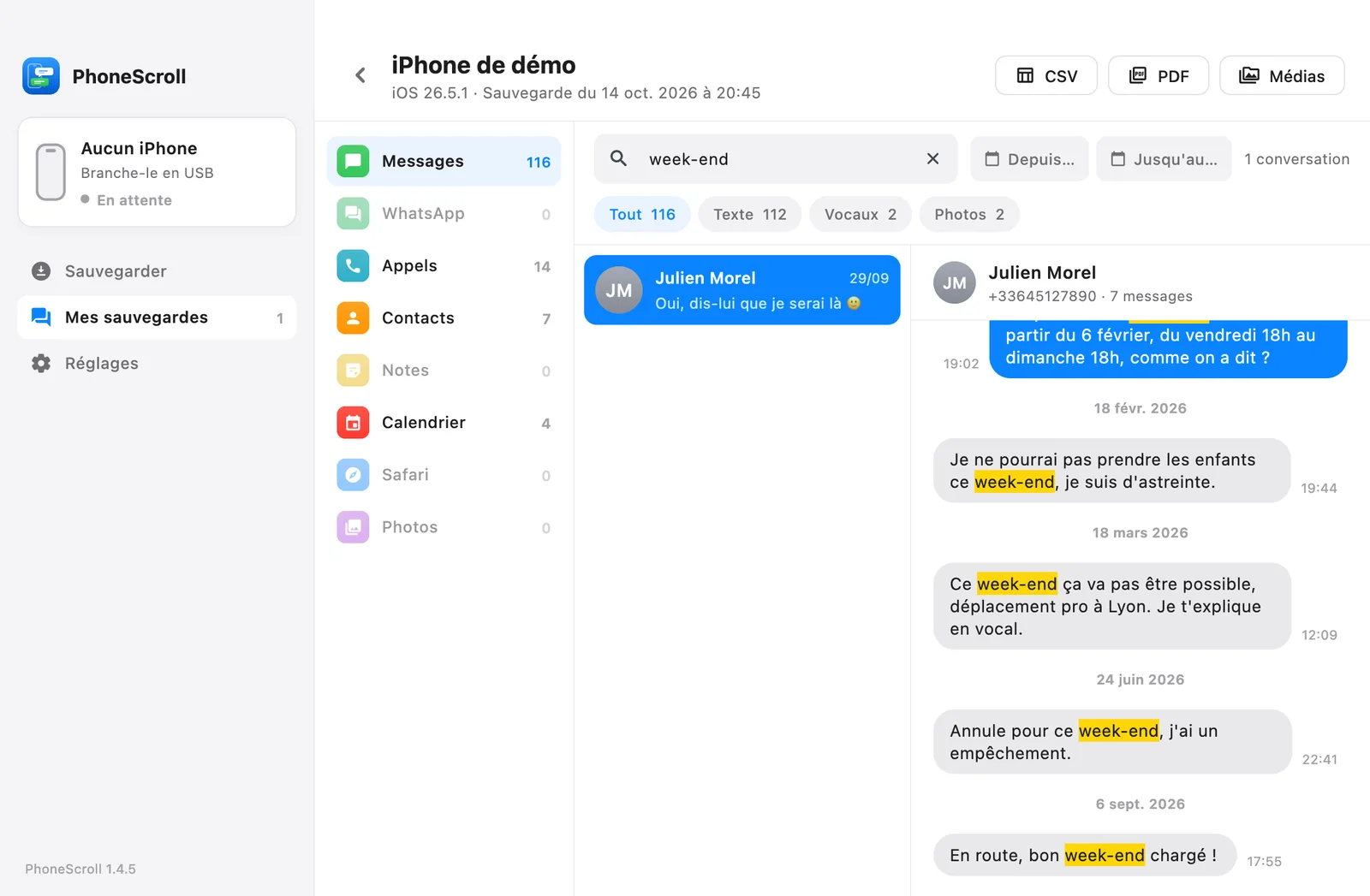
For a simple question, search is enough, and it's free. Type a word such as "weekend" (in our French demo, « week-end »): only the messages containing it remain, with their date.
The date filter isolates a single month. Here, April: the late child support payment, and the screenshot of the transfer Julien sent on April 20.
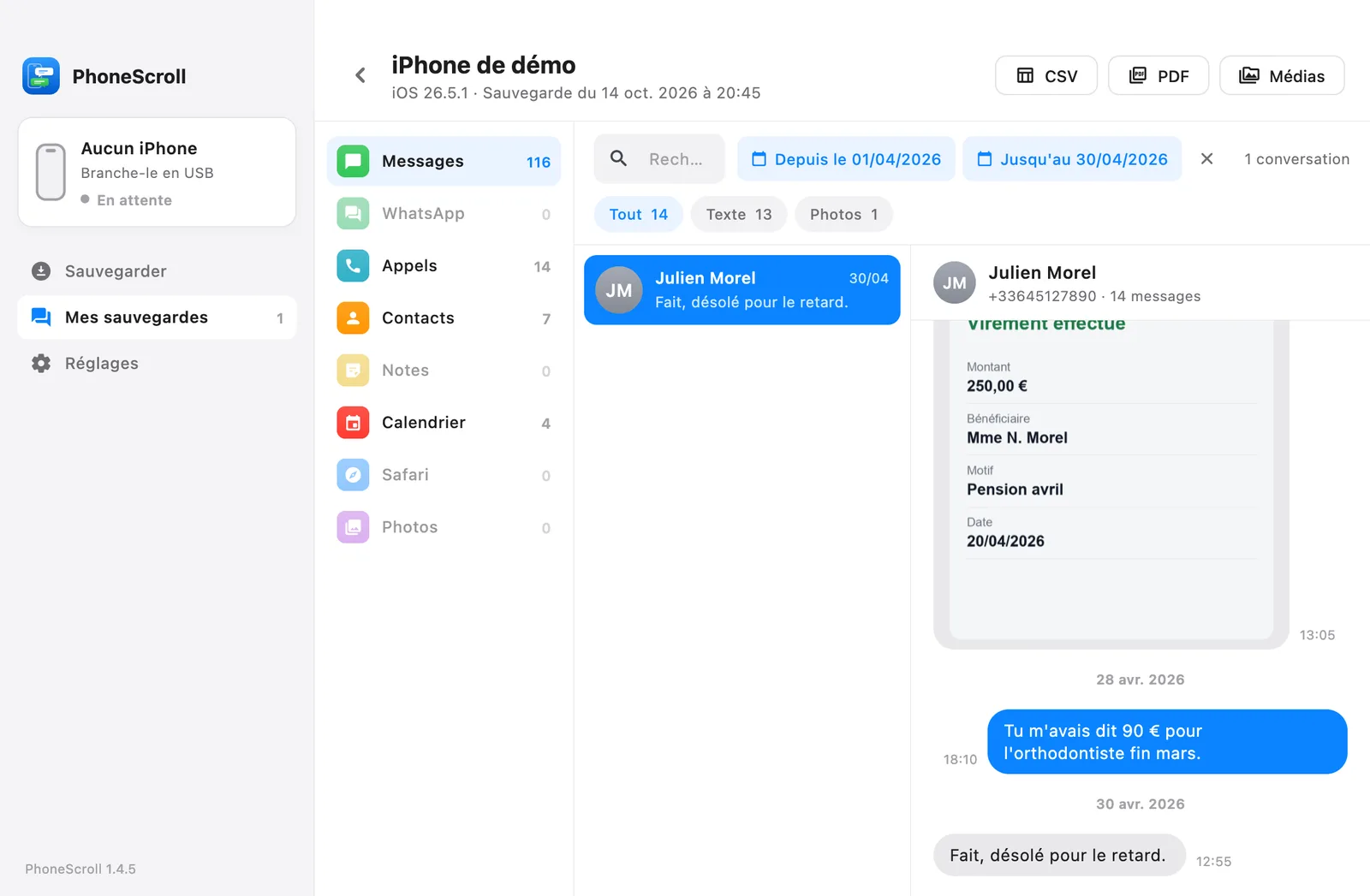
Search shows the messages that contain a word. It can't answer "how many times?", "how late?" or "summarize June for me". That's where AI comes in.
3. Export the conversation to CSV
Click CSV (a PhoneScroll Pro feature). The file has one row per message, with four columns: date and time, direction (sent or received), contact and text. Photos and voice messages are marked as « Photo » and « Message vocal ». If you filtered a period or ran a search, only what's displayed is exported.
Here's the start of the example file:
Date,Sens,Contact,Message
2026-01-06 20:12:00,envoyé,Julien Morel (+33645127890),Il faut qu'on parle de l'organisation pour les enfants.
2026-01-06 20:40:00,reçu,Julien Morel (+33645127890),"Oui. On en parle ce week-end, au calme."
2026-01-08 21:47:00,reçu,Julien Morel (+33645127890),"J'ai signé le bail pour l'appart de la rue Carnot. Je pars le 31 janvier, je prendrai mes affaires ce week-end-là."
2026-01-08 21:55:00,envoyé,Julien Morel (+33645127890),D'accord. Il faudra l'expliquer à Léa et Tom ensemble.
The same file opens in Excel or Numbers if you'd rather read it yourself.
4. Prepare the file before handing it to an AI
These messages contain private information, yours and the other person's. Before sending the file to an online service:
- Send only what's needed: the relevant conversation, over the relevant period, not your whole phone.
- Replace names and phone numbers: in Excel, a find-and-replace of "Julien Morel (+33645127890)" with "Parent B" does the job. The AI doesn't need them to count or summarize.
- Check the tool's settings: turn off chat history or the use of your data for training when you can (temporary chat, private mode).
- Or stay offline: an AI installed on your computer (LM Studio, Ollama…) reads the file without it ever leaving your machine. It's less powerful, but nothing goes out over the internet.
5. Ask precise questions
Attach the CSV file to your chat with the AI, then ask one question at a time. Always start with the same instructions; they limit made-up answers:
This CSV file is an export of my text messages with my children's father (columns Date, Sens, Contact, Message; "envoyé" = sent by me, "reçu" = received). Answer only from the file. For each item you find, quote the message word for word with its exact date and time. If you can't find something, say so.
Then, questions like these, taken from real separation cases:
On what date did he announce he was moving out, and on what date did he actually leave?
We agreed on every other weekend starting February 6, from Friday 6 p.m. to Sunday 6 p.m. List all of his weekends and, for each one, say whether it happened, was changed or was canceled, with the message that shows it.
Child support of €250 is due on the 5th of each month. Make a month-by-month table: date of the message announcing the transfer, amount, number of days late.
Find our agreement on summer vacation and everything that changed it afterwards.
Use code to calculate: number of messages per month and per person, each person's median response time, and messages sent after 10 p.m.
Write a neutral, chronological summary of the facts involving the children, 10 lines max. No interpretation and no judgment about anyone.
For counts and response times, ask the AI to calculate with code (ChatGPT, Claude and Gemini can do this on an attached file): the figures are then reliable instead of estimated.
What the AI found in our example
Here's the answer we got on the demo conversation, formatted. We checked every date and every figure against the file.
Key figures
Moving out
- 2026-01-08 21:47, received: "I signed the lease for the apartment on rue Carnot. I'm leaving on January 31, I'll pick up my things that weekend."
- 2026-01-31 18:20, received: "That's it, I've got everything. My spare key is in the mailbox."
Canceled or changed custody weekends
| Weekend | Status | Message |
|---|---|---|
| February 20–22 | canceled | Feb 18 19:44: "I won't be able to take the kids this weekend, I'm on call." |
| March 20–22 | canceled | Mar 18 12:09: "This weekend won't work, business trip to Lyon. I'll explain in a voice message." Followed by a voice message at 12:10. |
| May 15–17 | changed | May 13 18:30: "I can't take them Friday evening, can I pick them up Saturday at noon instead?" |
| June 26–28 | canceled | Jun 24 22:41: "Cancel for this weekend, something came up." |
| September 18–20 | canceled | Sep 16 08:12: "I won't be able to take them Saturday, my mother is in the hospital." |
The other 8 weekends took place: "I'm downstairs" on Friday, then a message about the drop-off on Sunday.
Child support (€250, due on the 5th)
| Month | Transfer announced | Amount | Late |
|---|---|---|---|
| February | Feb 4 | €250 | on time |
| March | Mar 5 | €250 | on time |
| April | Apr 20, after your reminder on Apr 9 | €250 | 15 days |
| May | May 5 | €250 | on time |
| June | Jun 15, after your reminder on Jun 12 | €250 | 10 days |
| July | Jul 3 | €250 | on time |
| August | Aug 15, after your reminder on Aug 14 | €150 | 10 days, partial |
| September | Sep 5: "250 + the 100 from August" | €350 | caught up |
These are the dates of the messages, not of the transfers: confirm them with your bank statements.
Summer vacation
- 2026-05-21 07:58, received: "OK with me, August 1 to 15." (replying to your proposal from the day before)
- 2026-07-28 21:15, received: "Actually I'll only be able to take them from August 4." Followed by a voice message at 21:16.
Messages per month
Julien you
Neutral summary
Julien announces he is leaving on January 8 and moves out on January 31. On February 2, the parents agree on every other weekend and child support of €250 on the 5th of each month. Between February and September, 4 of the 13 scheduled weekends are canceled by Julien and 1 is moved to Saturday. Child support is paid late in April, June and August (€150 in August, made up in September). The May 21 agreement on custody from August 1 to 15 is changed by Julien on July 28. On June 24 at 23:02, Julien writes: "Anyway, you always do everything you can to keep me from seeing them."
Limitations
The 2 voice messages (Mar 18 and Jul 28) and the 2 photos can't be read in the CSV: only their type appears. Listen to them in PhoneScroll.
Note the second-to-last point: the AI reads text, not audio. The March 18 voice message, in which Julien explains his business trip, can be played in PhoneScroll, and you can save it to a file for your lawyer with the download button.
6. Check, then hand over the messages themselves
AI sometimes gets things wrong: it can misread a date, skip a row or make up a quote. Before using a result:
- Check every quote in PhoneScroll: copy a few words into the search box, and the message should appear on the stated date.
- Export the useful passages to PDF, with the surrounding context, for your lawyer. The PDF includes the date, time, direction and contact of each message.
- Keep the AI's table as a memory aid, not as an exhibit: what counts in front of the judge is the messages.
What the law generally says
- In many countries, family courts commonly accept text messages as evidence in divorce and custody cases.
- Evidence obtained unlawfully, for example by going through the other person's phone without their consent, may be excluded. Use the messages on your own phone.
- The date of separation can matter, in particular for the financial consequences of the divorce. That's why finding the exact message about moving out is worth the effort.
- If the other side disputes the messages, a forensic or official report on your phone (from a digital forensics expert, for instance) makes them stronger.
- The rules vary by country and by state: ask your lawyer.
To present the messages properly, also read Using text messages as evidence in court: how to export them properly and How to print text messages from iPhone to PDF (with date and time).