 PhoneScroll
Disputes and court cases
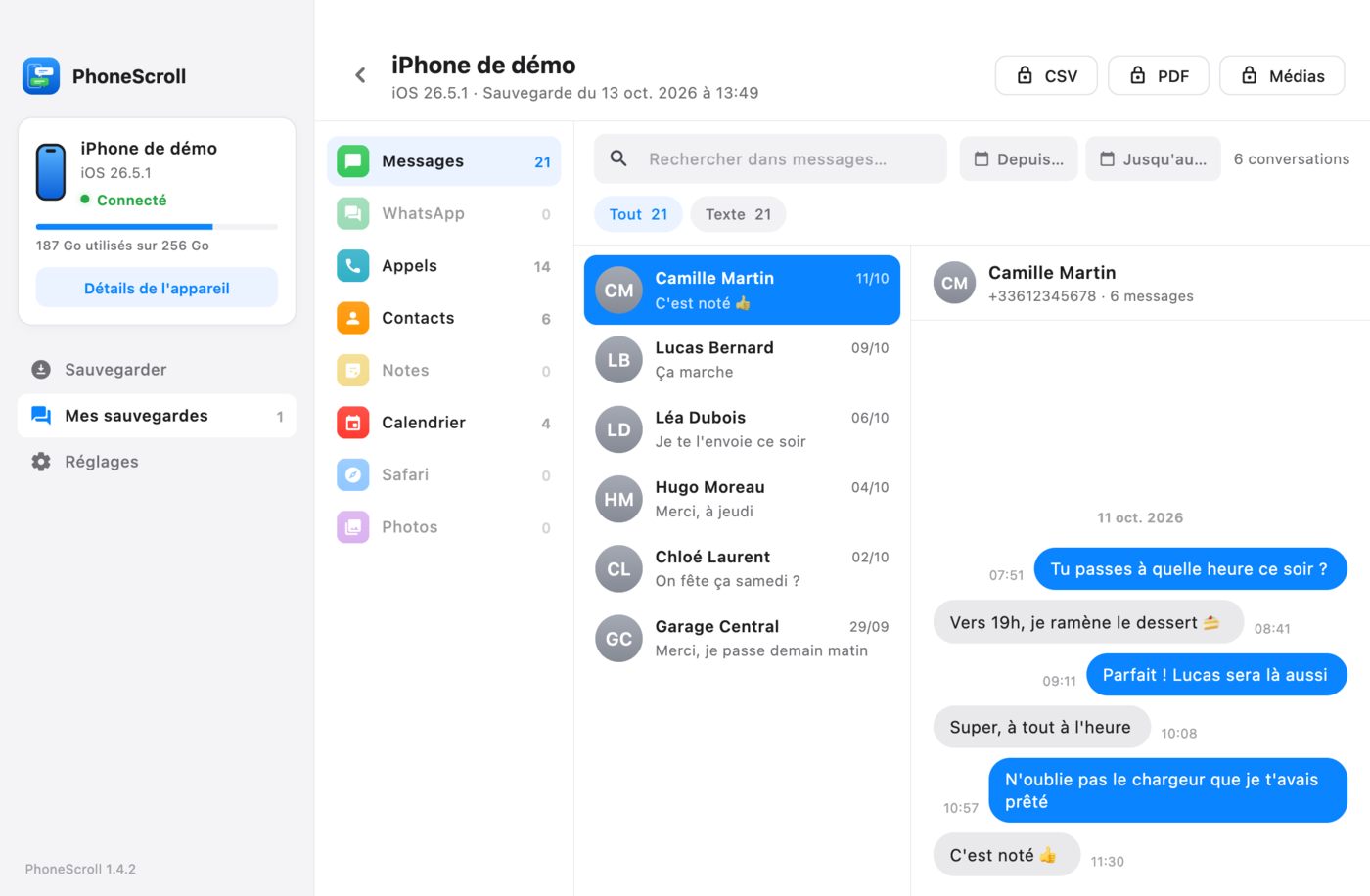
Export the conversation to PDF, with the date and time of each message, and hand it to your lawyer.
Text messages, iMessage and WhatsApp · PC and Mac
For a dispute, an insurance claim or your own records: PhoneScroll saves your iPhone to your Mac or PC, lets you find any text message, iMessage or WhatsApp conversation, then prints it to PDF or exports it to CSV with the date and time of each message.
Free to back up and read. Your messages never leave your computer.
Use cases
A conversation can prove an agreement, show what was said, or simply keep a record. PhoneScroll makes it readable, searchable and printable.
Export the conversation to PDF, with the date and time of each message, and hand it to your lawyer.
Texts with a contractor, a seller or a carrier: gather the messages and photos in one folder.
Keep a full copy of your iPhone on your computer before you switch phones, reset it or free up space.
A loved one's messages, photos and voice messages, kept safe off the phone and ready to print.
Good to know: PhoneScroll reproduces the content of your iPhone backup, but it does not certify the messages. Whether an export can be used as evidence depends on your case: ask your lawyer.
How it works
On Mac, everything is built into the app: nothing else to install.
Plug it in with a USB cable, unlock it and tap "Trust" when it asks.
PhoneScroll copies the iPhone to your computer. To read your messages, the backup must not be encrypted.
Search for a word, filter by date, then export the conversation to PDF or CSV, and its media to a folder.
Features
Everything useful on your iPhone, sorted by category and viewable offline.
Text messages, iMessages and WhatsApp chats sorted by contact, with dates, photos, videos and voice messages.
Instant search across tens of thousands of messages, with filters by date range and content type.
One conversation or your whole history, ready to print, archive or share (with a lawyer, an insurer, or as a keepsake).
Photos, videos and voice messages from your conversations, saved to a folder and named by date.
Call history, contacts, notes, calendar, Safari history and the iPhone's photos.
Backing up and reading happen on your computer. The content of your messages is never sent to a server.
Pricing
The free version is all you need to back up and read everything. PhoneScroll Pro adds exports and restore.
| Feature | Free0 € | PhoneScroll Pro29 € one-time |
|---|---|---|
| Full iPhone backup | ✓ | ✓ |
| Read all messages and mediaText messages, iMessage, WhatsApp, photos, videos, voice messages | ✓ | ✓ |
| Search and filters | ✓ | ✓ |
| Calls, contacts, notes, calendar… | ✓ | ✓ |
| PDF and CSV export of conversations | – | ✓ |
| Export photos, videos and voice messagesTo a folder, named by date | – | ✓ |
| Restore a backup to an iPhone | – | ✓ |
| 2 computers, updates included | – | ✓ |
| Download | Buy Pro |
No. On Mac, everything is built into the app. Connect the iPhone with a USB cable, unlock it and tap "Trust" when it asks.
No. The copy of your iPhone and the reading of it stay on your computer. Our server only receives the license activation (your key and an anonymous ID for the computer) and anonymous usage statistics, such as "a backup succeeded" along with its size or the number of conversations read. Never the content, names or phone numbers. You can turn these statistics off in the app's Settings.
Yes, the WhatsApp chats on your iPhone are read with their photos and voice messages.
Encrypted backups can be made and restored, but not read: turn off encryption to explore your messages.
Only with their consent. PhoneScroll is made to keep and read your own data.